
Using AI to Prepare for a Champaign Commercial Renovation |
A human-checked first pass can help local businesses organize project documents and questions before they speak with city staff. |
How AI can help before a renovation
An artificial intelligence assistant can help a business owner sort renovation paperwork, summarize a contractor’s scope, and prepare questions before contacting the City of Champaign. It cannot decide which permits apply, interpret code for a specific address, approve plans, or replace advice from an architect, engineer, contractor, or city reviewer.
That distinction matters when a Champaign shop, restaurant, office, or service business is considering a tenant finish or other interior work. The city’s permits and projects portal provides access to selected local records, including permit search, while a real project still needs case-specific review.
Start with a human-owned project file
Before opening an AI tool, create a folder controlled by the business and gather the documents the owner is allowed to share. Useful starting items may include the lease or landlord’s written scope, a contractor proposal, existing floor plans, photographs, product cut sheets, and the owner’s own description of the intended work.
Do not upload sensitive customer records, employee information, payment details, access codes, security plans, or confidential lease terms to a public AI service. Review the service’s privacy settings and contract first, and remove personal or confidential details when they are not needed for the task.
Keep source files unchanged. Ask the tool to work from copies, label summaries as machine generated, and save the name and date of the source document beside each extracted point. A summary without traceable source material is difficult to check.
Ask AI to organize, not approve
A narrow prompt can ask the system to extract the project address, proposed room changes, equipment mentioned, dates, named contractors, and unanswered questions from a proposal. It can also sort the text into headings such as “work described,” “documents mentioned,” and “items to confirm.”
For example, the tool might notice that a proposal refers to a new service counter but says nothing about electrical changes. That observation is only a prompt for a person to investigate. It does not establish that electrical work is planned, required, or permitted.
Ask for quotations or page references from the supplied documents whenever the software supports them. If it cannot show where a statement came from, mark that statement as unverified rather than copying it into a project record as fact.
Keep the questions neutral. Do not ask an AI system to tell you which code applies or whether a particular design will pass review. A confident answer can still be wrong, outdated, or based on facts that do not match the property.
|
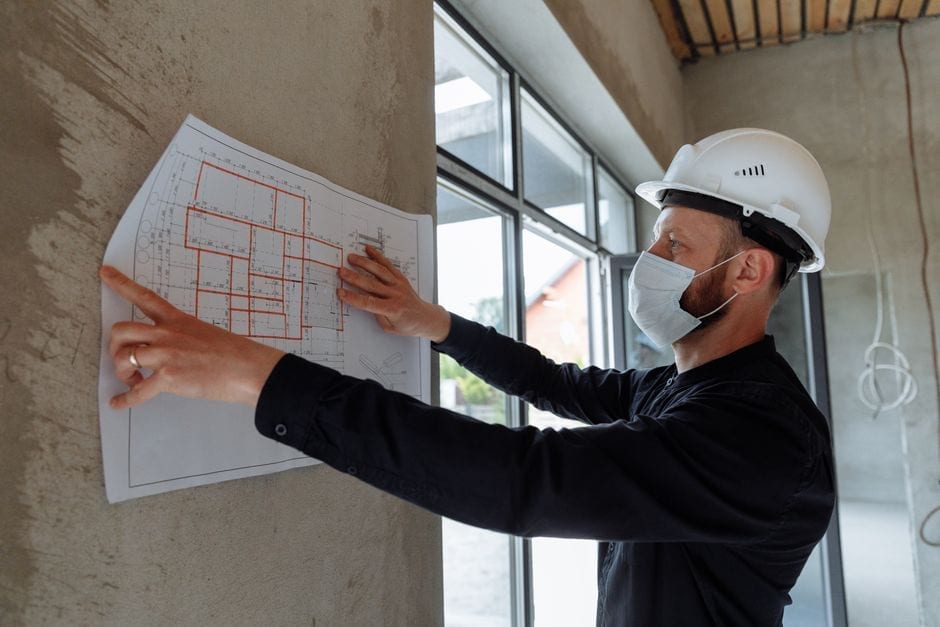
 Illustrative stock photo: hands review a printed floor plan during renovation planning. Photo by SHVETS production on Pexels |
A hypothetical Champaign example
Hypothetical example: A cafe operator in Champaign receives a contractor estimate for moving a service counter and adding equipment. The operator uploads only a redacted copy of the estimate to an approved tool and asks it to list every location, material, fixture, and unresolved detail mentioned in the document.
The tool returns a table that groups the work description, names the equipment, and flags that the estimate does not identify who will handle permit questions. The owner compares every row with the estimate, removes one item the tool invented, and asks the contractor to clarify the missing responsibility.
The owner then uses the verified table to prepare a call to the City of Champaign and to coordinate with a qualified design professional. No permit decision or approval comes from the AI output. The example is hypothetical and does not describe a local business, project, customer, or result.
Check current city information
The City of Champaign’s Permits and Projects portal is the official starting point for selected permit and project records. Its permit search page shows permit information, site details, contacts, fees, inspections, chronology, conditions, and reviews for searchable records.
Portal access to records does not mean that an AI summary, a past permit, or a search result establishes what a new project needs. Do not infer approval from a similar address or project. Ask city staff how the current process applies to the specific address and scope.
Businesses can also consult the City’s Business Portal for municipal business information. The city directory identifies the Building Safety Division as part of the Fire Department, and the City lists a Building Safety contact for questions about its process.
A review routine for every AI output
Have a named employee compare each extracted fact with the original file. Confirm the address, unit number, dates, quantities, equipment descriptions, and scope word for word. Delete unsupported statements and label uncertain points as questions.
Then have the project lead, contractor, architect, or engineer check the technical parts within that person’s role. Ask the city about jurisdictional requirements and the correct application path. The person doing this review should record who confirmed the answer, when, and where the current official source is located.
AI can also misread plans, tables, handwritten notes, scans, or abbreviations. A drawing image may not provide enough detail for a reliable reading, and a text summary may leave out a qualification hidden in a footnote. Always compare against the full document.
Set a simple rule for staff: generated material stays in draft status until a person signs off. Staff should never send an AI-produced code interpretation, promise an approval, or tell a contractor to begin work based only on machine output.
Keep a clear project record
After review, save the original documents, the AI draft, the corrected project brief, and the confirmed answers in one access-controlled folder. Keep a short change log showing what a person corrected and why. This creates a clean handoff among a business owner, landlord, contractor, design professional, and city reviewer.
The practical benefit is modest but concrete: AI may help turn existing paperwork into a draft list of facts and questions. Its value depends on human verification, secure handling of documents, and confirmation from official sources. For a Champaign commercial renovation, begin with the current city portal, ask qualified people about the work, and let software handle only the clerical first pass.
|
0 Comments
Join the conversation
Be the first to comment
Share your thoughts above.