
Help Local Customers Request a Quote on Your Business Website |
A practical website review for Champaign-Urbana service businesses, from clear service pages to reliable customer follow-up |

A Champaign-Urbana homeowner looking for a repair estimate should not have to guess whether a business serves the neighborhood, handles the job or checks its contact form.
For local service companies, a useful commercial website answers those questions before asking someone to become a customer.
The practical goal is a clear path from a service page to a request that staff can understand and follow up.
That path matters more than adding another decorative section or repeating a broad promise about quality.
This guide offers a proposed website review for local contractors, cleaners and other service businesses; it does not claim that a particular company has achieved a measured sales result.
Use it to identify one weak step in your current process before committing money to a larger redesign.
Say what you do and where you work
Start the main page with the service, the actual area covered and one useful next action.
A business serving Champaign and Urbana should name those places plainly rather than leaving visitors to infer coverage from a phone number.
If you also work in nearby communities, list only the locations your team actually accepts.
Separate different services into descriptions that help someone decide whether their problem fits.
For example, a hypothetical repair company could explain the difference between a routine maintenance visit and an estimate for a larger project.
Do not create the impression that every job can be booked immediately if staff must inspect the site first.
Google’s local business guidance says complete and accurate business information can help its systems understand a business and match it to relevant searches.
Keep your website and business profile consistent, without treating accuracy as a promise of a particular search position.
Give each page one clear request
A service page needs a next step that matches what the business can actually deliver.
If the team offers estimates after a discussion, label the button Request an estimate rather than suggesting the price is already settled.
Place that action near the service explanation and again after the details a customer needs to review.
Offer a working telephone option for people who prefer to discuss the situation before submitting a form.
Test the number and the form yourself on a phone, not only in a desktop preview.
Check whether the customer can read the service description, understand the button and complete the request without an account.
Avoid covering the contact area with pop-ups or competing offers.
The right request is the one that starts a manageable conversation, not the one that creates an expectation your staff cannot meet.
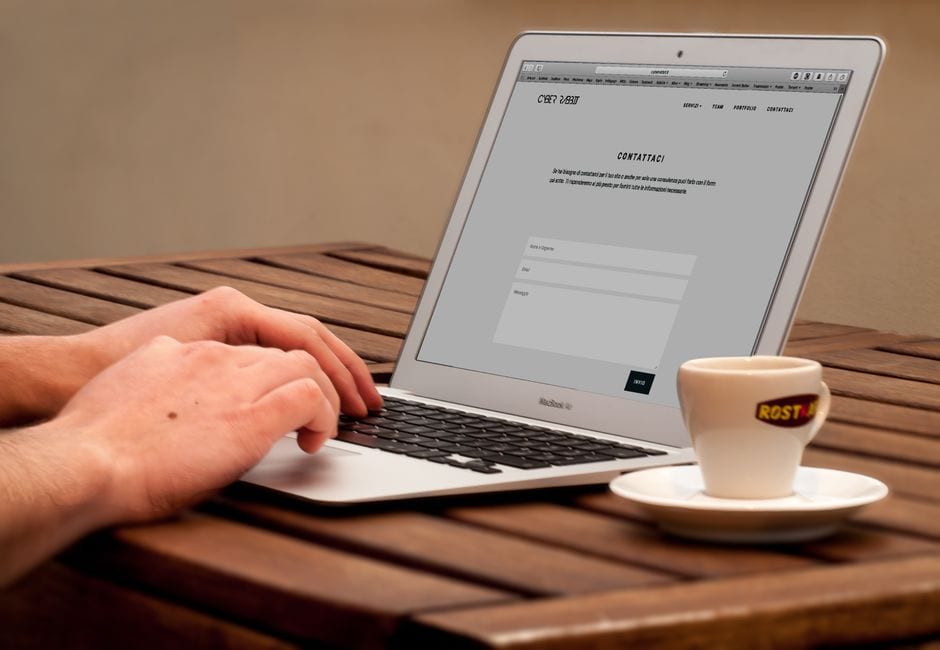
Photo by Pixabay on Pexels. Illustrative stock photo; not a featured Champaign-Urbana business.
Keep the form short and understandable
Ask for the information needed to decide what happens next, rather than collecting a full customer history at first contact.
A starting form might request a name, preferred contact method, general service location and a brief description of the task.
An exact address or optional photo may be useful later, depending on the service and your intake process.
The W3C’s accessible forms tutorial recommends asking only for necessary information and providing labels, instructions and feedback.
Apply that advice by making required fields clear and explaining how to correct an error.
After submission, display confirmation that the request arrived and describe the next step.
Do not use a confirmation message that implies an appointment or price has been approved when staff still need to review the request.
Have another person test the form with a keyboard and on a small screen, and arrange a fuller accessibility review where needed.
Show evidence that matches the service
Use photographs of work you have permission to show, with enough context to explain what the business actually completed.
An image of a finished room says little if visitors cannot tell whether your team handled the painting, the flooring or the entire project.
Label illustrative stock photography so it is not mistaken for your staff or previous jobs.
Keep customer quotations accurate and avoid extending one person’s experience into a general performance promise.
The FTC’s advertising guide for small businesses explains that advertisers need evidence for their claims.
Review statements about results, availability, guarantees and credentials before placing them beside a quote button.
If you publish a starting price, explain its scope and meaningful conditions rather than hiding limitations farther down the page.
A truthful explanation can still be persuasive when it gives a customer enough information to choose the next step confidently.
Make follow-up part of the website plan
A working form is only the first half of the contact process.
Assign a person to review new requests, decide what information is missing and record whether the customer received a reply.
Choose a response expectation that the team can maintain, including the way requests outside office hours are handled.
An automatic acknowledgement can confirm receipt, but it should not make a booking or availability promise.
Protect the information that arrives through the website as carefully as information received by telephone.
The FTC’s business data security guidance recommends keeping only necessary information, limiting access and disposing of records that are no longer needed.
Decide who can access submissions, where they are stored and how long your business has a reason to retain them.
Do not ask customers to send payment details or unrelated sensitive records through a general quote form.
Measure useful requests before buying more traffic
Track submitted requests, the ones that fit your service area, completed follow-ups and estimates that proceed to the next stage.
Keep spam, duplicates and requests for services you do not provide separate from genuine prospective customers.
Compare the same definitions over time so a change in counting does not look like a change in business performance.
Before purchasing a website package, ask who owns the domain, who can update the pages and who maintains the forms after launch.
Request a demonstration of the complete customer path, including the confirmation message and delivery to your staff.
For a practical first step this week, choose one important service page and submit a test request from your phone.
Correct unclear service coverage, a broken contact route or an unsupported promise before adding more promotion.
A commercial website earns its place in the business when its information and its follow-up process support a clear, reliable customer decision. |
0 Comments
Join the conversation
Be the first to comment
Share your thoughts above.