
Business Photography in Champaign-Urbana: Plan Before You Book |
Build a useful shot list, compare provider deliverables and check the local SBDC photo program’s scope before arranging a session |
A Champaign-Urbana shop updating its website or a service company comparing photographers needs more than a folder of attractive pictures.
The useful question is which photographs will help customers recognize the business, understand the work and know what they are considering buying.
The short answer: prepare a shot list around those customer questions, then agree on the scope, file delivery and permitted uses before booking.
For local owners planning an autumn photo refresh, that approach gives the purchase a purpose beyond simply replacing older images.
This guide combines current official guidance with practical planning advice; the business examples are hypothetical, and no sales or search-ranking result is promised.
Sources were checked on October 16, 2026.
Start with the customer’s actual questions
List the pages and profiles that need photographs before deciding how many images to commission.
A storefront might need an entrance view, an honest view inside and representative goods.
A service business might instead need photographs showing the work performed and the people who will deliver it.
Google’s business-specific photo guidance distinguishes exterior, interior, product, work and team images, among other categories.
It recommends images that are focused, well lit and representative of reality.
Use those categories as a prompt for planning, rather than requesting the same photographs from every business.
For a hypothetical Urbana repair company, a useful set could show the team preparing a job, a relevant work detail and the completed task.
Each image should answer a question that matters to the intended customer.
Do not add a decorative scene merely because there is an empty space on the page.
Give the photographer a usable brief
Describe the business, the audience and the purpose of each requested image in plain language.
Identify which photographs need room for website text and which must work in a tight crop.
Ask about horizontal and vertical versions if the files will appear in different placements.
Explain the real work schedule so the photographer can plan around people, equipment and customer activity.
Before the session, confirm who is responsible for preparing the space and arranging participation.
Keep private documents, customer information and unrelated screens out of the planned scene.
Discuss how permissions for identifiable people and customer locations will be handled before taking photographs there.
A specific brief allows a provider to explain what fits the proposed session and what needs additional time.
It also gives both sides a reference when deciding whether the delivered set matches the agreed task.
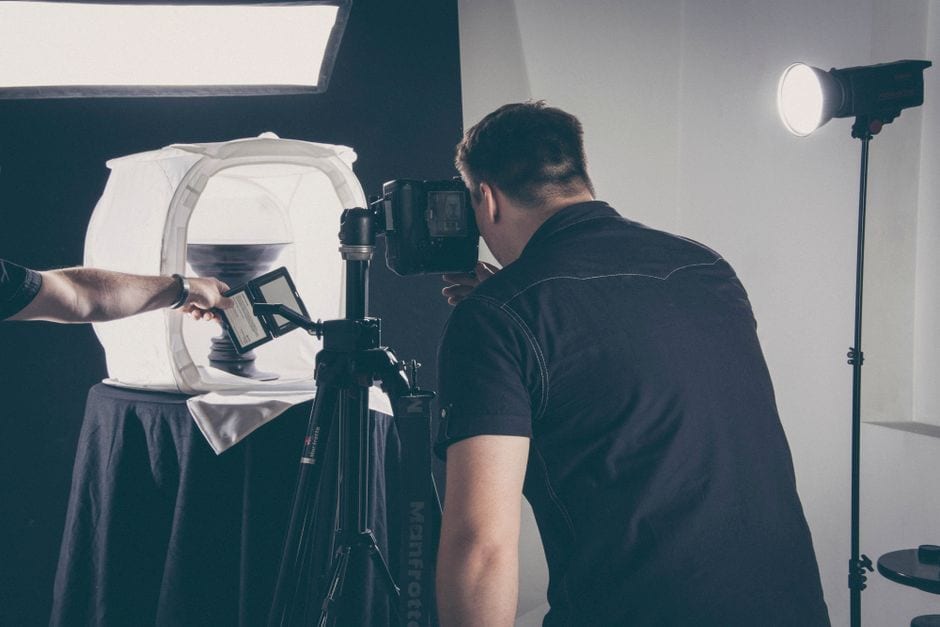
Photo by Anton Gofman on Pexels. Illustrative stock photo; not a local provider or SBDC session.
Check a local program’s scope before applying
The Illinois SBDC at Champaign County EDC publishes a Small Business Photo Program featuring Anna Longworth-Singer of Anna Longworth Photography.
The posted description covers a 45-minute, day-in-the-life visit for approved applicants.
It specifies a brick-and-mortar business within the center’s service area and registration as an SBDC client.
The page describes the program as no-cost through CARES Act funding, but submitting an application does not guarantee services.
It also says the session is not intended for staff headshots or stock-style product photographs.
Because the posted description is not a confirmation of an available appointment, ask the SBDC about current funding, eligibility and scheduling before relying on it.
Read the participation terms, including the stated use of the business name and photos and the approval step before use.
Compare deliverables before comparing prices
For a paid assignment, ask for a written scope that identifies session length, locations and the type of work included.
Confirm how many finished photographs will be delivered and whether the selection process involves your input.
Ask what editing is included, when files will arrive and how corrections or additional requests are priced.
Clarify the permitted uses you need, such as your website, business profile, printed materials or advertising.
Request an explanation of any limits, expiry dates, credit requirements or added charges in the proposed agreement.
Do not assume that receiving a file answers every question about where you may publish it.
Compare providers against the same brief so a lower price is not simply a smaller assignment.
Keep the quote and agreed scope together with the final files for the staff member responsible for publishing.
No general price is given here because the appropriate comparison depends on the actual assignment and the provider’s terms.
Publish photographs that match the offer
The FTC’s small-business advertising guide explains that advertisers need evidence for their claims.
Treat photographs and nearby captions as part of the message a customer receives, rather than checking only the headline.
Show the products, services and spaces you actually provide, and describe the business’s role accurately.
If a contractor completed only the painting in a room, a caption should not imply that the company built the entire space.
Clearly identify illustrative stock photos so they are not mistaken for employees, premises or completed customer jobs.
Review older pictures when an offer, team or location changes.
A photo refresh is a useful opportunity to remove a confusing example, not just add more material.
Keep the description close enough to the image that a visitor can understand what it shows without searching elsewhere.
Check the upload and keep a simple image record
Google’s photo management instructions list JPG or PNG files, a size range of 10 KB to 5 MB and a recommended resolution of 720 by 720 pixels.
The same page notes that choosing a cover photo does not guarantee it will appear as the first image.
Check the current platform requirements when preparing exports rather than asking the photographer for only one universal file.
Keep an original delivery folder and a separate set of resized publishing copies.
Record the subject, date, photographer, agreed uses and the pages where each image appears.
Use descriptive alternative text where supported, based on what the image actually communicates.
Before commissioning a shoot, identify three missing customer questions and turn them into a short brief.
If the local program may fit, use the SBDC’s official contact page to confirm current arrangements; otherwise request comparable quotes from providers against that same brief.
Choose the set that clearly explains your business and can be maintained, rather than buying images without a publishing plan. |
0 Comments
Join the conversation
Be the first to comment
Share your thoughts above.