
AI Customer Feedback Analysis for Champaign-Urbana Businesses |
Find recurring themes in real comments, verify the evidence and test one practical service improvement |
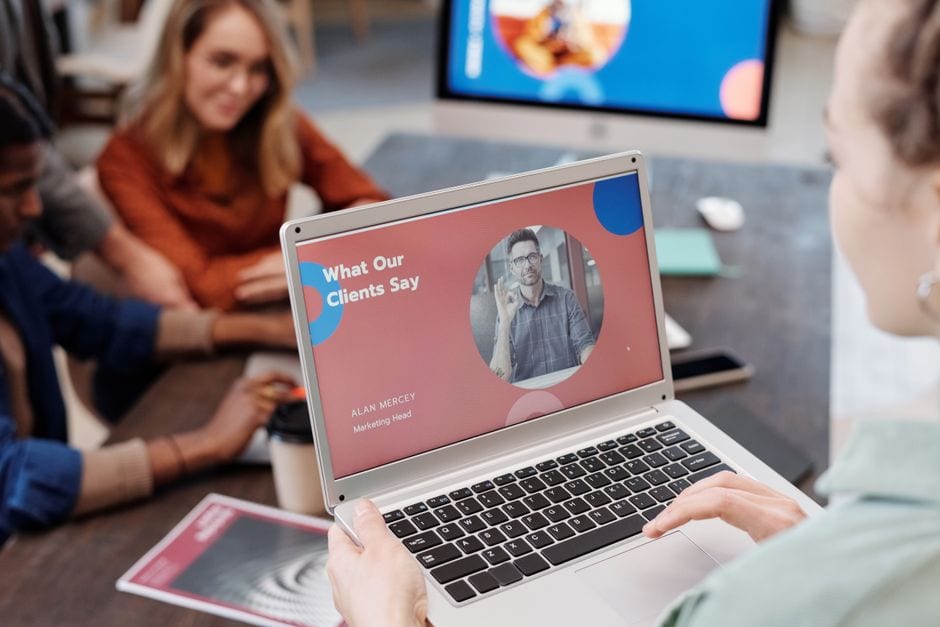
Photo by Kari Shea on Unsplash. Illustrative stock photo, not a featured Champaign-Urbana business or an SBDC appointment.
For a Champaign-Urbana business preparing its next staff meeting, customer feedback can supply a more useful agenda than another request for AI to suggest generic ways to grow.
The short answer is that AI can help sort real comments into possible themes, but a person must verify the source material, check the counts and decide what action the evidence supports.
Start with a bounded question, such as whether customers repeatedly describe unclear pickup instructions or difficulty finding the entrance.
This informational guide uses official guidance checked October 19, 2026, alongside practical advice and hypothetical examples, not findings from a local customer survey.
Choose a question and a defined sample
Select one business location, one feedback source and a date range before collecting material you are authorized to use.
Keep a simple record for each comment with an internal reference number, date, source and the original wording needed for analysis.
Include positive, negative and mixed feedback rather than choosing only comments that support an existing opinion.
Separate reviews from customer emails, survey answers and staff recollections so that unlike sources do not silently become one dataset.
Record how many comments were included and what was left out.
If only a handful of customers supplied feedback, describe the result as a small sample rather than a reliable picture of every customer.
Remove unnecessary personal information
Before using an AI tool, check its current data terms and your business’s permissions for the proposed material.
The Federal Trade Commission’s Start with Security guide recommends keeping only essential personal information and limiting access according to business need.
For a feedback exercise, replace names with internal reference numbers and remove contact details, account numbers and unrelated information.
Do not paste a full customer file into a chat simply because one sentence might be relevant.
Keep any required original records in their approved business system, separate from the working analysis.
If information cannot be shared appropriately, exclude it from the tool and review it through an authorized internal process.
Ask for themes tied to specific comments
Provide the permitted, numbered comments and ask the tool to group them into descriptive categories, while leaving uncertain cases unclassified.
Require every proposed theme to list the reference numbers supporting it and distinguish praise, complaints and suggestions.
Ask for a separate list of conflicting evidence so a few enthusiastic or angry statements do not determine the whole account.
A useful instruction is to identify repeated topics without inventing causes, customer identities, quotations or missing details.
NIST’s AI risk framework overview links to its Generative AI Profile and guidance on identifying risks in generative systems.
Treat an AI-produced grouping as a candidate interpretation that must be checked, not a finished management finding.
Verify the grouping and count it yourself
Read the source comments behind each category and move any that were assigned incorrectly.
Check whether a comment contains several themes, whether the same feedback appears twice and whether a short statement has been misunderstood.
Use a spreadsheet or another countable record to calculate totals instead of accepting numbers embedded in an AI-written paragraph.
State whether you counted comments, customers or mentions, because those are different units.
For example, one comment about both waiting and directions could contribute to two topic counts while remaining one comment.
Do not turn repeated wording into a claim about the cause of a problem without further evidence.
A summary that sounds confident can still be a poor account of the material.
Photo by Mikael Blomkvist on Pexels. Illustrative stock photo, not a featured Champaign-Urbana business or an SBDC appointment.
Turn one verified theme into a small test
For a hypothetical downtown Champaign shop, several comments about pickup confusion might justify checking whether the confirmation message clearly states where to go.
For a hypothetical Urbana service office, comments about appointment preparation might prompt a review of the instructions customers receive beforehand.
Neither example establishes that a named local business has those problems.
Assign one person to inspect the actual customer-facing information and confirm whether the proposed change is accurate.
Choose a review date and note what you will observe afterward, such as fewer clarification calls or fewer customers arriving without the requested materials.
Those are proposed measures, not promised results or evidence that AI increased revenue.
Keep internal analysis separate from public reviews
Do not turn a theme summary into an invented customer quotation or publish it as if a real customer said it.
The FTC’s review-rule questions and answers explain that businesses can face liability for creating fake or false reviews and for disseminating false testimonials.
Google’s review guidance says contributions must reflect genuine experience and prohibits incentives for posting, changing or removing reviews.
Use the analysis to improve your own operations, while checking the relevant platform’s rules for any review requests or public responses.
A fictional example belongs in internal training with a clear label, not on a review platform as an alleged customer experience.
Check current local support before applying
The Illinois SBDC at Champaign County EDC offers no-cost confidential business advising, with meetings by appointment.
Its office is listed at 1817 South Neil Street, Suite 100, Champaign, Illinois 61820.
Its separate Social Media Audit page currently says the program is closed and not accepting applications.
Do not confuse that closed package with general advising or assume a particular AI analysis service is available.
Bring one verified feedback theme and one operating question to an advising conversation, then choose a practical change you can review with your team. |

0 Comments
Join the conversation
Be the first to comment
Share your thoughts above.